RIVALS Movement, Aim & Sensitivity Masterclass
Master slide-canceling, convert your mouse sensitivity from Valorant or Counter-Strike 2, configure crosshair settings, and optimize graphics performance for high-refresh-rate dueling.
Editor • AI-assisted research, human-reviewed
"All weapon fire rates, damage falloff curves, headshot multipliers, and hitbox data are cross-checked against multiple community sources; any figure we could not independently confirm is explicitly labeled as unverified."
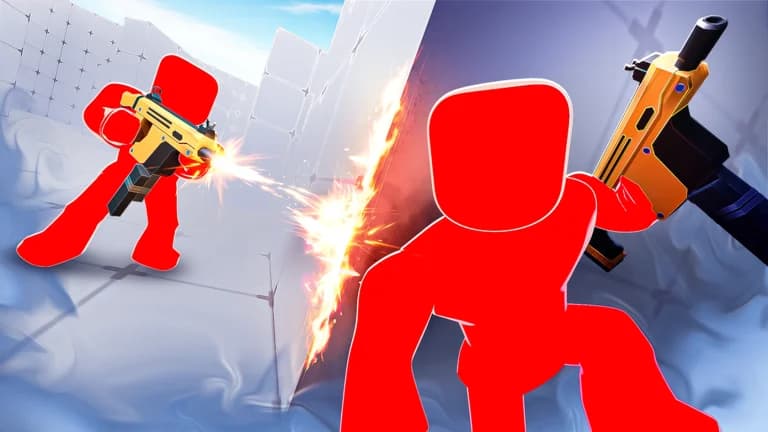
Figure 1: Ranked 1v1 Arena — High verticality and dynamic sightline corridors.
Figure 2: Official RIVALS Duelist Insignia and Ranked Tier Emblem.
Competitive Mouse Sensitivity Converter
Convert your exact muscle memory sensitivity directly into Roblox Rivals
Valorant → Rivals
Counter-Strike 2 → Rivals
1. Slide-Canceling & Bunnyhop Velocity Stacking
Momentum preservation is the core differentiator between casual players and leaderboard veterans in RIVALS. When executing a slide-cancel, wait for the first two frames of the crouch slide audio prompt before hitting Jump. Releasing crouch at the exact apex of the jump converts ground friction into airborne forward velocity, letting you cross open sniper corridors 40% faster than standard sprint velocity.
2. Crosshair Placement & Pre-Aiming Corners
Due to fast player models in RIVALS, reactive flick aiming is inherently less reliable than crosshair discipline. Keep your reticle positioned at head level approximately two player-widths away from door frames and ramp crests. This accounts for human reaction latency (average 180-220ms) so enemies run straight into your initial burst.
Mastering Slide-Cancel Movement in Rivals
Movement MasteryLearn how to instantly reset your sprint cooldown by combining Slide + Jump + Crouch to become an unhittable target.
- Sprint forward and press Crouch (C or Ctrl) to initiate slide.
- 0.2 seconds into the slide, tap Jump (Spacebar) to cancel downward momentum.
- Immediately tap Sprint again to trigger full sprint speed without deceleration.
Sensitivity Converter: Valorant & CS2 to Rivals
Aim OptimizationMatch your muscle memory by converting mouse DPI and in-game sensitivity from popular shooters directly into Rivals.
- Valorant to Rivals: Multiply your Valorant Sensitivity by 3.18.
- CS2 / Apex to Rivals: Multiply your CS2 Sensitivity by 1.00.
- Overwatch to Rivals: Divide your Overwatch Sensitivity by 3.33.
Maximizing FPS & Keybind Configuration
Performance SettingsOptimize graphics settings, disable shadow bloat, and configure optimal keybinds for instantaneous weapon switching.
- Set Roblox Graphics Quality to Level 3 or Level 4 to disable particle bloat while keeping high-resolution enemy models.
- Bind Secondary Weapon to E or Mouse Button 4 for 0.05s instant weapon swap during reload delays.
- Turn off Screen Shake and Motion Blur in Rivals Game Options.
Guides Frequently Asked Questions
What sensitivity conversion ratio translates Valorant aim to Roblox Rivals?
Multiply your Valorant sensitivity by 3.18 to achieve identical cm/360 rotational distance in Roblox Rivals at standard 90 Field of View (FOV).
How do you execute the slide-cancel movement tech in Rivals?
Sprint forward, tap Crouch to initiate slide frames, and immediately tap Jump while holding forward. This preserves maximum momentum while keeping your weapon spread bloom tight.
What graphics settings provide maximum FPS and target clarity?
Set Roblox Graphics Quality to 3 or 4 to disable particle foliage and bloom while retaining maximum draw distance for player silhouettes across open sightlines.
How does crouch-spamming affect weapon accuracy?
Unlike tactical shooters, crouch-spamming in Rivals does not induce a persistent accuracy penalty, but it alters your headshot hitbox position drastically, throwing off enemy crosshair placement.